
Review Room
Blockers first. Evidence below.
See upload, privacy, SDK, App Store Connect, reviewer-notes, and submit-decision gates without hunting through a flat report.
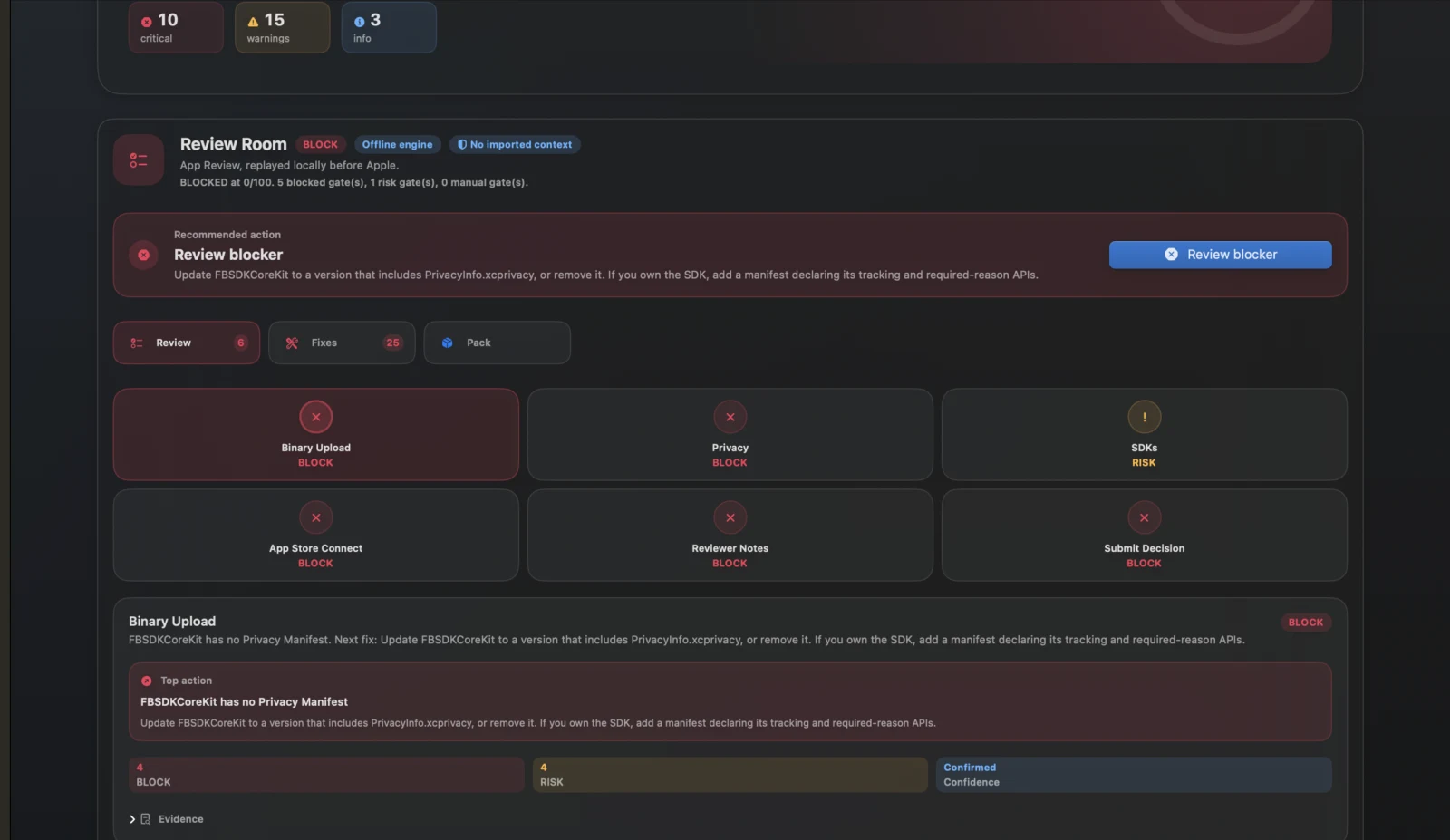
StoreShield 2.0 turns every scan into a local Review Room. Drop an .ipa or xcarchive, replay upload, privacy, SDK, metadata, reviewer-notes, and submission gates, then export a complete submission package before you submit.
Signed Direct DMG includes a 7-day Pro trial. Mac App Store is available as the trust-first channel. Supports iOS archives only. Requires macOS 14+.
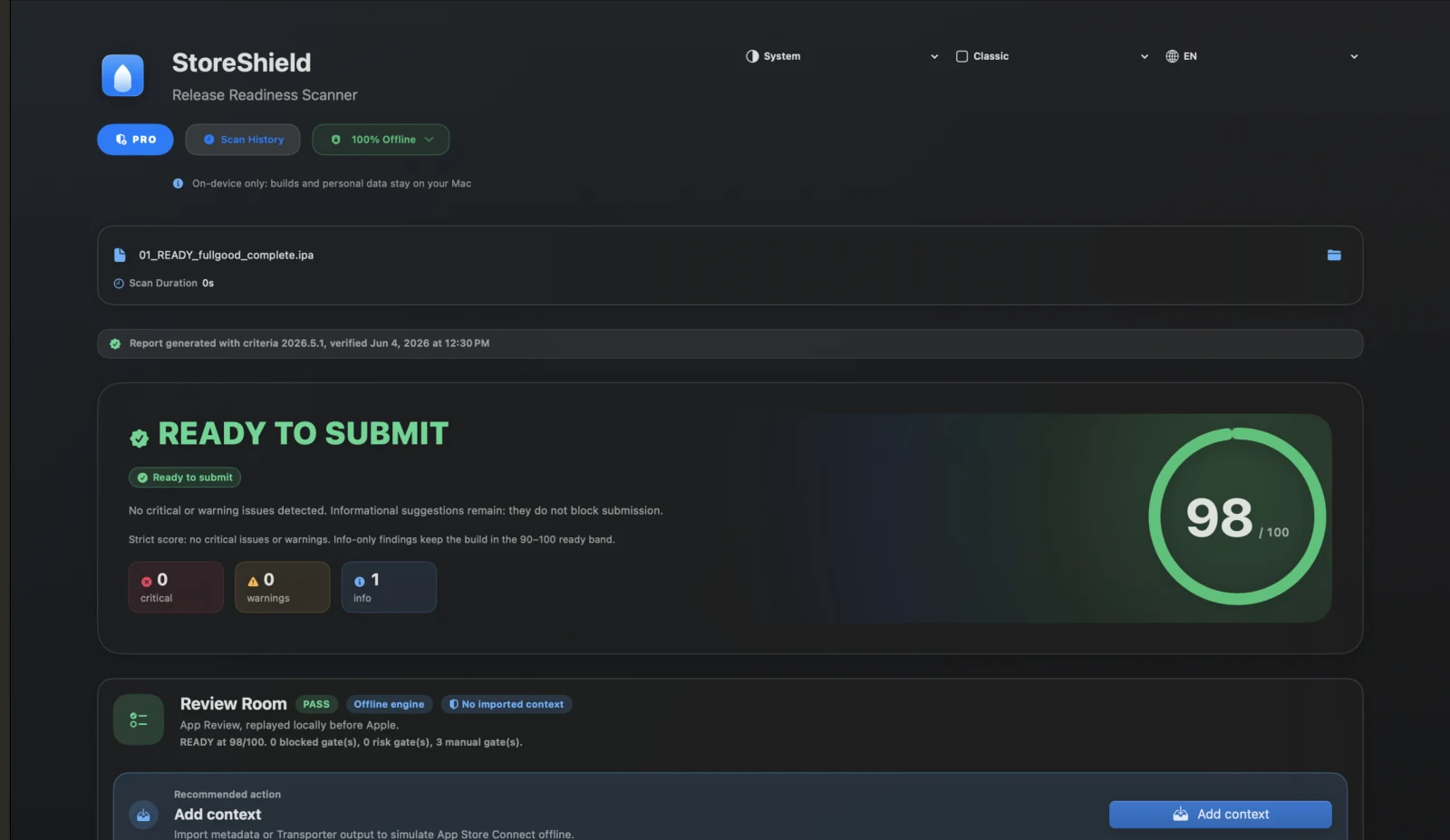
Review Room
See upload, privacy, SDK, App Store Connect, reviewer-notes, and submit-decision gates without hunting through a flat report.
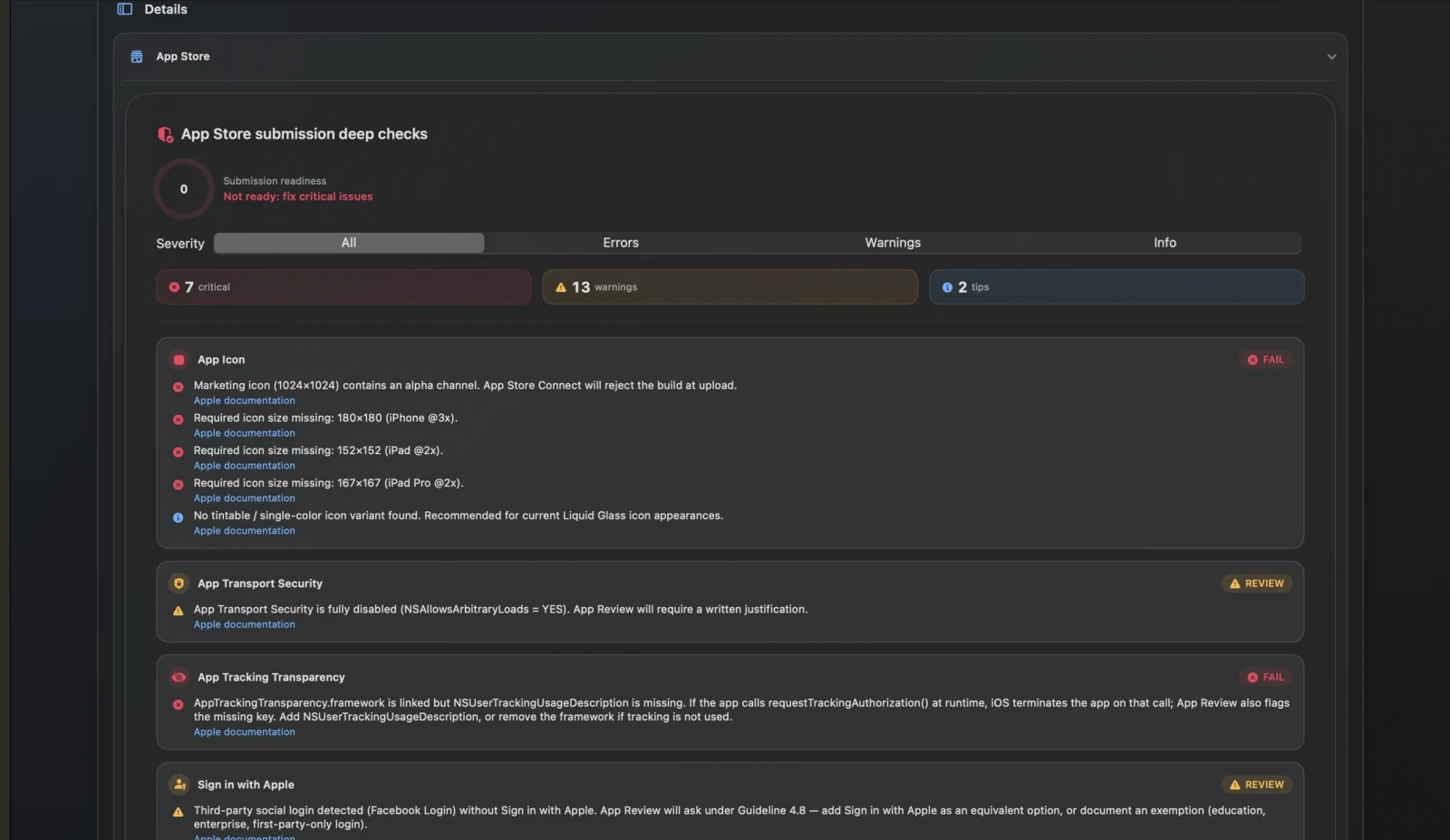
Submission checks
Drill into ITMS-style checks, severity, confidence, and remediation while every archive stays local on the Mac.
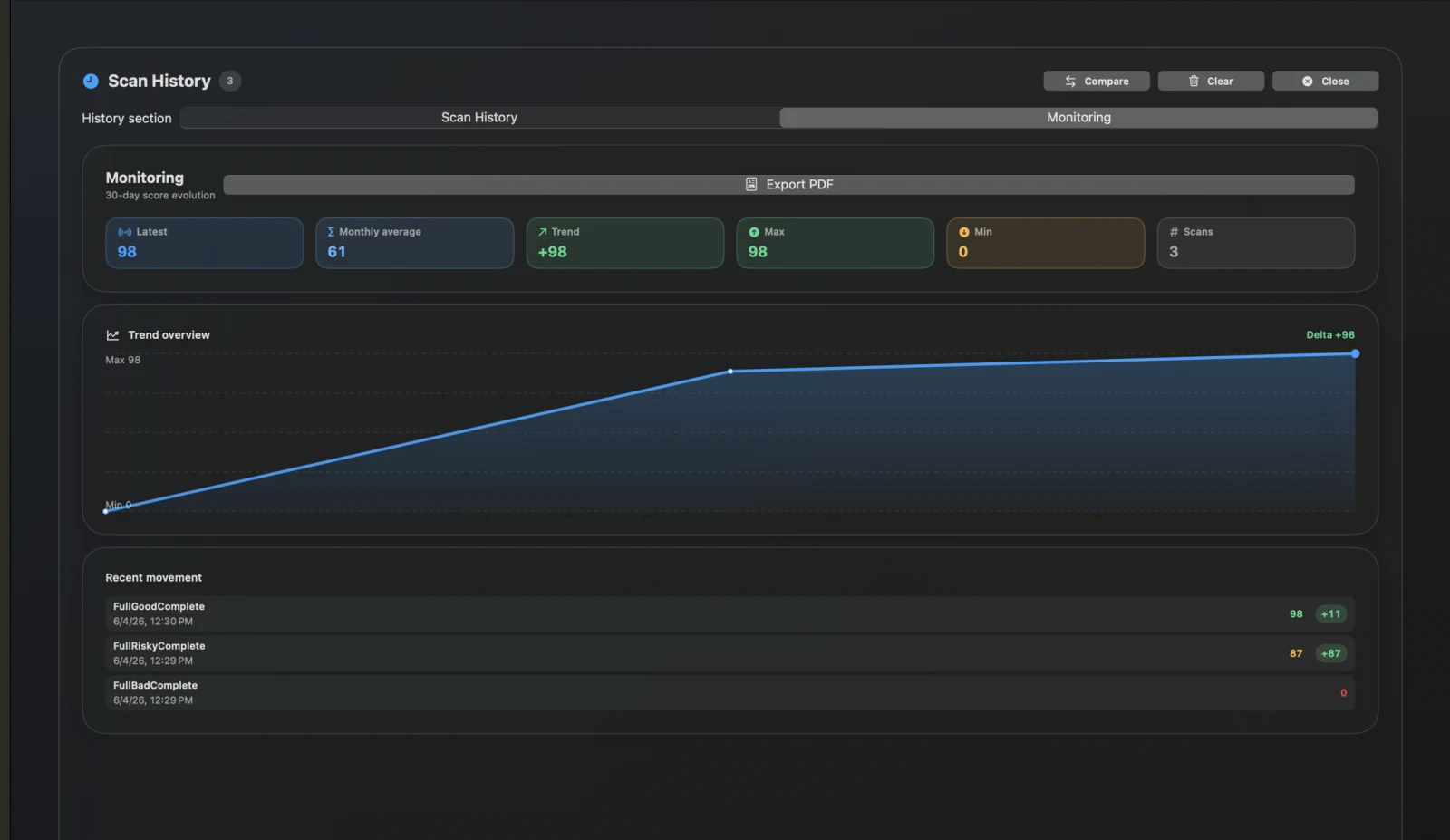
History
Compare builds, watch score movement, and export release evidence for client or team handoff.
Your IPA stays on your Mac. No upload. No telemetry. No third-party servers. The way pre-release builds should be.
See the same gates developers care about: Binary Upload, Privacy, SDKs, metadata, reviewer notes, and final submission decision.
Export REVIEW_ROOM.md, reviewer notes draft, fix plan, metadata checklist, mapped ITMS errors, machine summary, SARIF, and PDF.
Your binary never leaves your Mac. No telemetry, no third-party uploads. Suitable for confidential pre-release builds.
Paste Transporter logs, ITMS emails, or App Store Connect metadata JSON. StoreShield enriches gates locally without using App Store Connect APIs.
Drag, drop, read the release plan. Large apps can take longer, so StoreShield shows elapsed time and the slowest scan phases instead of hiding the work.
StoreShield is built around one workflow: scan, review, export.
Export an archive from Xcode, or grab one from your CI. StoreShield reads it in place without needing your source code.
Each gate shows PASS, RISK, BLOCK, or MANUAL with evidence, confidence, linked issues, ITMS codes, and the next best action.
Generate reviewer notes, a fix plan, metadata checklist, mapped ITMS errors, PDF report, machine JSON, and SARIF before submission.
Compliance criteria sync weekly from Apple's official documentation. StoreShield shows the installed and available criteria versions, changelog, and rescan warning when your report is stale.
Bring your own Anthropic or OpenAI API key. StoreShield sends only the issue type and minimal scan metadata to the selected provider. No IPA bytes, no source code, no personal data. The AI never sees your build.
Your IPA, source code, screenshots, license file, and any personal data never leave the device.
Only the issue category, the rule that triggered it, and a short context string. Strictly what the AI needs to write a useful fix suggestion.
We never proxy or charge for AI usage. You pay Anthropic or OpenAI directly with your own API key. You stay in control of every cent.
AI is OFF by default. Toggle it from the privacy badge in the app. Switch back to fully offline mode in one click.
100+ checks for App Store upload, privacy, SDK, accessibility, entitlement, and binary readiness.
Detects missing or incomplete PrivacyInfo.xcprivacy in your app and every embedded SDK. A frequent cause of App Store upload failures since May 2024.
Flags UserDefaults, file timestamps, disk space, and other sensitive APIs used without a declared reason. Maps each violation to the exact NSPrivacyAccessedAPIType Apple expects.
Identifies every embedded SDK, flags those missing a privacy manifest, and surfaces known high-risk frameworks.
Checks ITMS-style upload gates, binary hardening, export compliance, scene manifest, launch screen, iPad declaration, and App Transport Security.
Surfaces unexpected or over-privileged entitlements (push notifications, iCloud, associated domains) before Apple's review team does.
Verifies architecture, Swift and Objective-C presence, runtime linkage, debug symbol and path signals, deprecated API references, and bitcode status.
No tool can guarantee App Store approval. Apple's review has a human element. StoreShield eliminates every detectable technical cause of rejection before you hit Submit, which is a very different risk profile than hoping for the best.
Never. StoreShield runs entirely on your machine. No upload, no cloud scan, no telemetry. Optional AI mode sends only a minimal issue description to your selected provider; your binary stays local.
No. StoreShield reads any iOS .ipa, .xcarchive, or .zip (iOS archives only — macOS apps are not supported). No Xcode required, and you don't need to be the app's developer to scan it.
Xcode checks binary format errors. StoreShield checks ITMS-style upload gates, privacy manifests, Required Reason APIs, SDK risk, accessibility signals, entitlements, export compliance, and binary security.
Yes, that's the primary use case. Scan pre-release builds, CI artifacts, or client deliverables before they ever reach App Store Connect.
Rules sync weekly from Apple's official documentation. The app shows the installed criteria version, available remote version, changelog, and whether an older report should be rescanned.
StoreShield scans locally and does not upload your archive. Large IPAs, many frameworks, and binary review checks can take longer. The app now shows elapsed time, activity logs, and the slowest phases in the report.
Start with the signed Direct DMG and run a real scan during the 7-day Pro trial. Prefer Apple checkout? The Mac App Store edition is available too.